Free. No watermark. No account.

Turn your kid's game video into a highlight reel.

A real video editor for sports parents. Cut, add a beat and text, export for your phone or Instagram. Any sport. It runs in your browser, so your video stays on your device.

Works best in Chrome on a computer. Phones work for light edits.

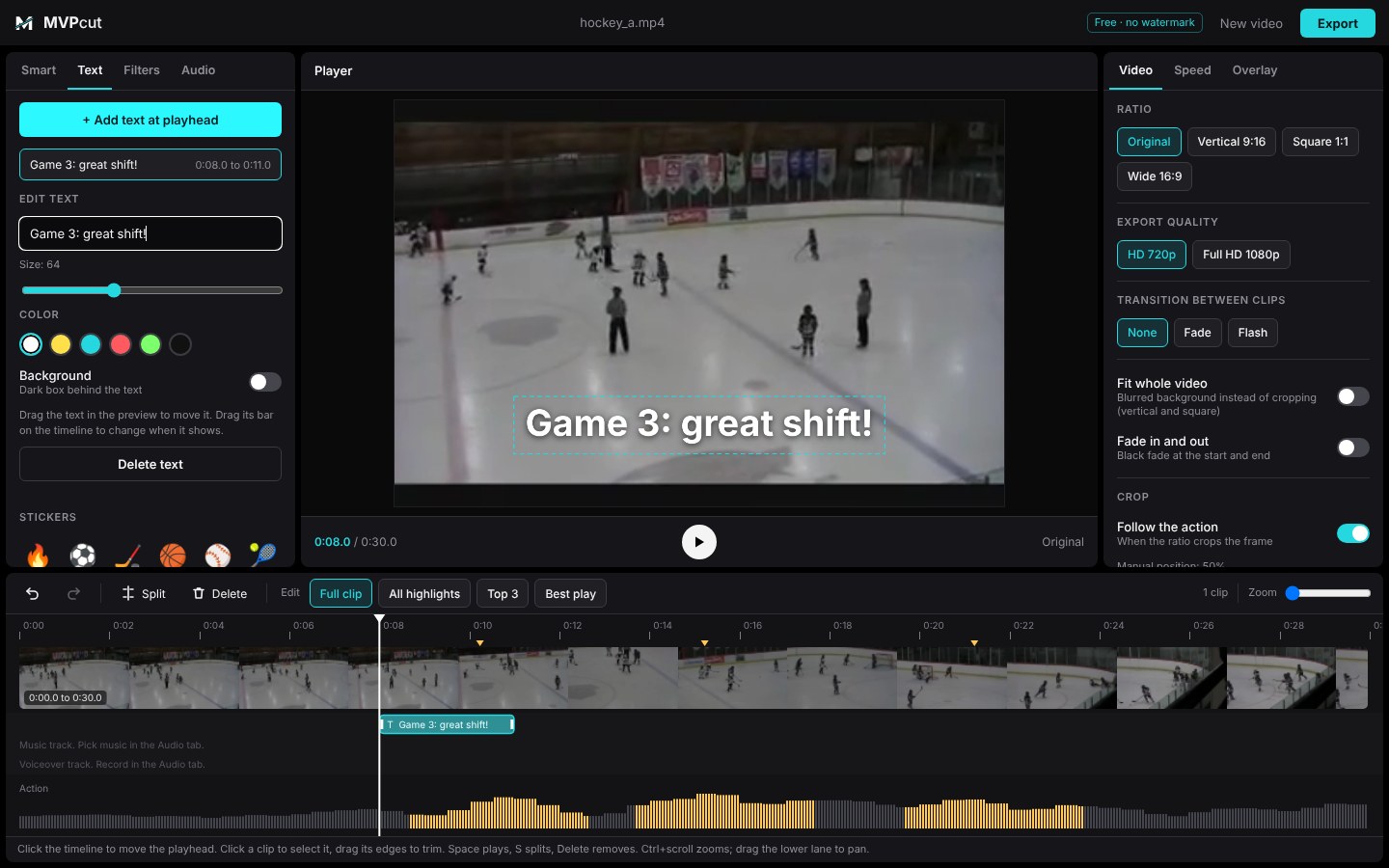
The MVPcut editor with a hockey clip, timeline and a text overlay

How it works

From a 40 minute game video to a 30 second reel.

1

Drop in your video

MP4, MOV or WebM straight from your phone or camera. iPhone videos are converted for you.

2

Edit it your way

Split and trim on the timeline, or let MVPcut scan for the action and build highlights you can keep or delete.

3

Export and share

Pick vertical, square or wide, add a beat and text, and export in HD. No watermark, ever.

What's inside

The tools you'd expect, without the paywall.

Timeline editing

Split, trim, delete, undo and redo. Zoom in for frame-level cuts.

Auto highlights

MVPcut scans the video for the busiest moments and cuts a reel. You choose what stays.

Follow my player

Circle your kid once and the highlights are built around them, with an arrow marking them on screen.

Text and stickers

Add scores, names and emoji. Drag them where you want them.

Music and voiceover

Add a built-in beat under your reel, or record a voiceover from your microphone.

Speed, filters, transitions

Slow motion, fast forward, color filters, fades between clips.

Vertical, square, wide

Reframe for Reels, TikTok or the family group chat, with a blurred background if you don't want to crop.

HD export, MP4 option

Export at 720p or 1080p. Convert to MP4 for easy sharing from a phone.

Private by design

Editing happens in your browser. Your video is not uploaded to a server.

Why it's free

Because sharing your kid's best play shouldn't need a subscription or a watermark.

MVPcut is free to use, with no watermark and no sign-up. We built it for parents who just want a good clip of the goal, the save or the home run.

  • No watermark on your export
  • No account or email needed
  • No upload, your video stays on your device

What to expect, honestly

  • MVPcut is early. Expect rough edges and tell us what breaks.
  • Following one player works best on continuous footage. It struggles when the camera cuts between angles or the player is tiny.
  • Exports run in real time, so a 30 second reel takes about 30 seconds to export.
  • Long videos take a few minutes to scan. You can keep editing while it works.
  • Filters don't work in Safari yet.

Questions

Good to know.

Is it really free?

Yes. No watermark, no account, no trial. MVPcut is free to use.

What sports does it work for?

Any sport. The editing tools work on any video. Auto highlights look for motion and activity, so they work best when the camera is steady on the action, and they have been tested on hockey, soccer, baseball, lacrosse and tennis footage.

Does my video get uploaded?

No. Everything happens in your browser tab. The one exception is a small converter file (about 25 MB, downloaded once) that is only fetched if your video is in a format your browser can't play, such as some iPhone videos. Your video itself is never sent anywhere.

Which browser should I use?

Chrome on a computer gives the best results. Phones work for quick edits but are slower, and Safari doesn't support filters yet.

My iPhone video won't open. What do I do?

MVPcut converts iPhone HEVC videos automatically the first time you drop one in. It needs to download the converter once, so keep the tab open and wait for it. Very large files (over about 1 GB) should be trimmed first.

What does "Follow my player" do?

You circle your kid in one frame and MVPcut tracks them through the video, then builds the highlight reel around the moments they're involved in. It works best on continuous footage. If the camera cuts between angles, circle the same player again in another shot to extend it.

How long can my video be?

Short clips scan quickly. Full-game recordings can be edited too, but scanning takes longer, and player tracking only covers the stretch around the frame you circle.
Make your first reel in minutes.

No account. No watermark.